FocusStation v0.1.0 — First Release
View on GitHub → Release notes →
I don't know Swift
I've been building backend systems for 6 years. Node.js, TypeScript, Go, PostgreSQL, Docker, message queues — that's my world. I've never shipped a line of Swift in production. Never opened Xcode before last week. Don't know the difference between @Observable and @Published without Googling it every time.
But I wanted a menu bar timer that didn't exist. So I described what I wanted to an AI, tested what came back, filed bugs back to it, and iterated over a few weekend sessions. A handful of late nights later, FocusStation v0.1.0 shipped.
This release was entirely vibe-coded over a few weekends — 3-4 hour sessions between client work. I made the product calls, tested the behavior, decided what to cut. The AI wrote the code. It actually worked.
The build
Session 1 — Getting it running
Started with a basic MenuBarExtra setup in SwiftUI. Tasks, start/pause, a popover. Within hours, hit the first wall: MenuBarExtra clips label content to ~40px. You couldn't show a task name and elapsed time without truncation. That killed the entire "glance at the bar" premise.
The AI switched to NSStatusBar + NSHostingView. Full-width label, no clipping. More boilerplate, but complete control over rendering. Worth it.
Sessions 2–4 — Polish and gutting
The big rewrite happened over several sessions. Each time, I'd spot something that didn't feel right, describe the fix, and the AI would implement it. Then I'd test it, find the next thing, repeat.
Scrapped the settings UI entirely. Four files — SettingsView, GeneralSettingsTab, AppearanceSettingsTab, BehaviorSettingsTab — deleted. None of it mattered for v0.1.0. Laser focus on the core experience.
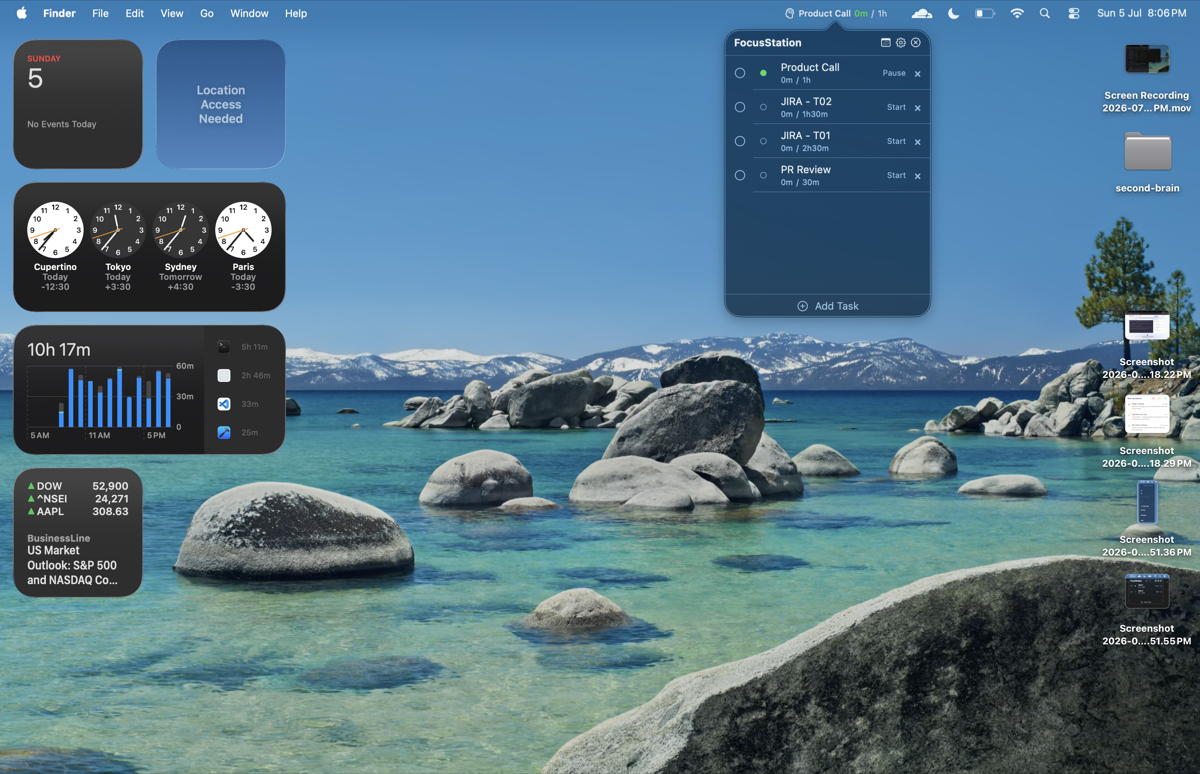
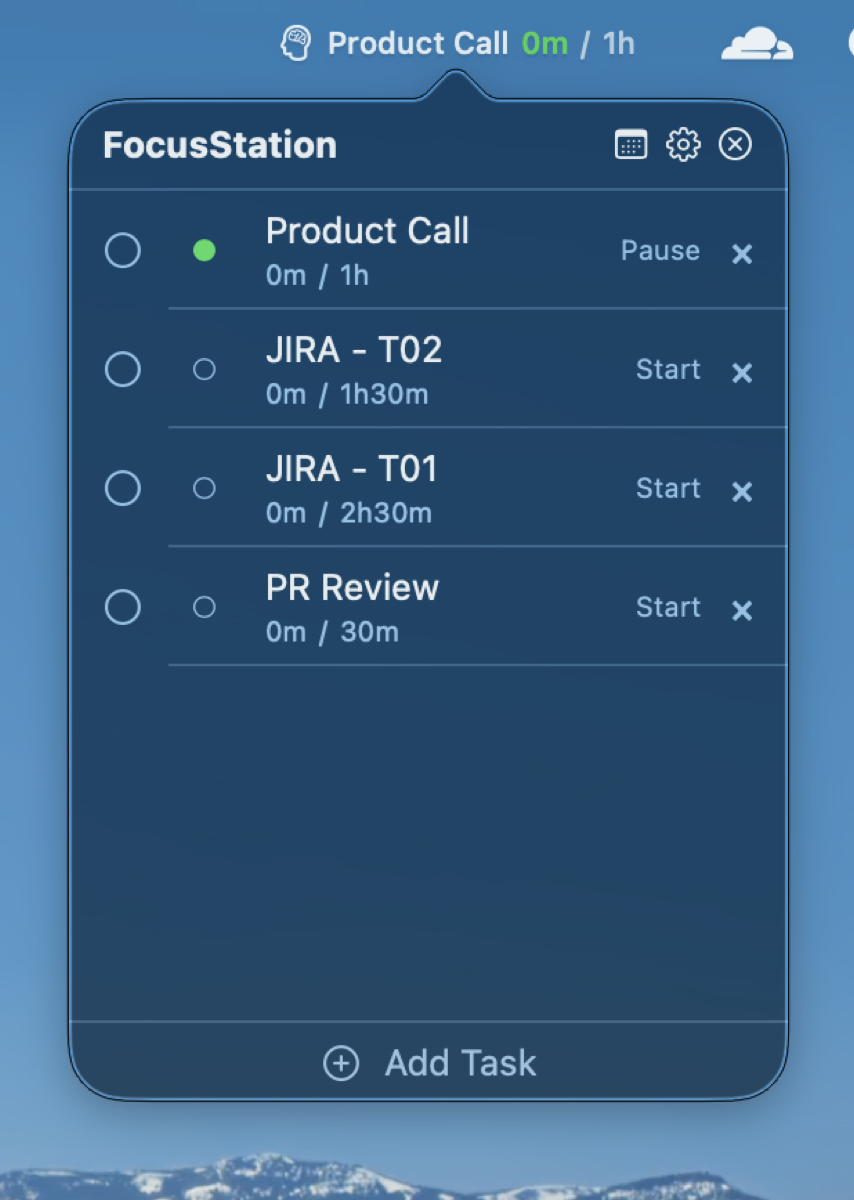
Scrapped the task creation sheet. A modal popover for adding tasks felt wrong in a menu bar dropdown. Replaced with inline rows — click "Add Task," a form row appears in the task list with a name field and optional target time. Click again, another row. Batch creation without leaving the list.
Scrapped double-click rename. Hovering a task reveals a pencil icon. Click it, and the row transforms into the same inline form. No context menu gymnastics. No accidental renames.
Scrapped List selection. Selection was causing dark overlays on edit rows and blocking text field focus. Gone. Drag handles still work without it.
Scrapped sample data and midnight reset. The app launches clean. No example tasks. No "carry forward" dialogs. No archiving. Pure timer, pure tasks for now.
Fixed menu bar theming. The NSHostingView was overriding its appearance with the key window's theme — not the menu bar's. The menu bar follows your desktop wallpaper. Removing the override fixed it. Now icons and text follow the menu bar's appearance in real time.
Variable-width status item. When idle (no timer running), the status item shrinks to just the brain icon. When a timer is active, it expands to show the task name and elapsed time. Running and paused states share the same minimum width so the bar doesn't resize when you pause — only the color changes (green ↔ orange).
Three technical decisions that actually mattered
Timestamps, not counters
Every timer app I've seen that increments a counter drifts. Timestamps don't. currentElapsed() computes accumulatedElapsed + (now - startedAt) on every render. Sleep your Mac mid-timer and wake it 3 hours later — the math accounts for elapsed wall-clock time automatically. Zero catch-up logic.
TickGenerator, not Combine
Swift's Combine timer publisher creates @Sendable closure warnings in Swift 6. A selector-based Timer on RunLoop.main.common avoids this entirely. The MenuBarController observes a simple tick counter and rebuilds the view every second. No Combine. No sendable closures. No warnings.
Inline everything
No sheets. No popovers. No modals. Task creation is an inline row in the scrolling list. Task editing is the same row transforming in place. The user never leaves the dropdown. This was the third iteration — the first two had sheets and modals. Each time I described what felt wrong, the AI made it simpler.
What's in v0.1.0
- Menu bar timer with adaptive label (icon-only idle, full info when active)
- Add tasks with optional target times
- Inline batch task creation — click "Add Task" repeatedly for rapid entry
- Inline task editing — hover for pencil icon, edit name and target in place
- Drag to reorder tasks
- Single-timer enforcement — only one task runs at a time
- Timestamp-based elapsed time — zero drift, sleep-safe
- Light and dark mode support — follows macOS theme automatically
- Local-only SwiftData persistence — no accounts, no cloud, no analytics
- Zero third-party dependencies
What's next
- Today's total — a summary showing total focus time for the day
- Notifications — optional reminder when a target time is reached
- Keyboard shortcuts — global hotkey to start/pause the current task
- Statistics — weekly/monthly focus time trends
- Proper code signing and notarization — no Gatekeeper warning on first launch
But for now, v0.1.0 does what I needed: a timer I can see without breaking flow.
19 Swift files. Zero dependencies. A few late nights. Built by someone who had never shipped Swift before.